CUSTOMER SERVICE WITHOUT THE COMPLEXITY

Clear the queue.
Resolve tickets in half the time.

TicketOS gives growing teams total control over customer queries, without enterprise complexity or expensive per-seat pricing.

Setup in under 15 minutes • No credit card required • Flat transparent pricing

↓

RECLAIM YOUR TIME

Spend time growing your business.
Don't get stuck in your inbox.

Customer support should not swallow your day or pull you away from growing your business. But when the inbox takes over, everything else you planned for the day has to wait.

A SIMPLER WAY TO WORK

From request to reply. No detours.

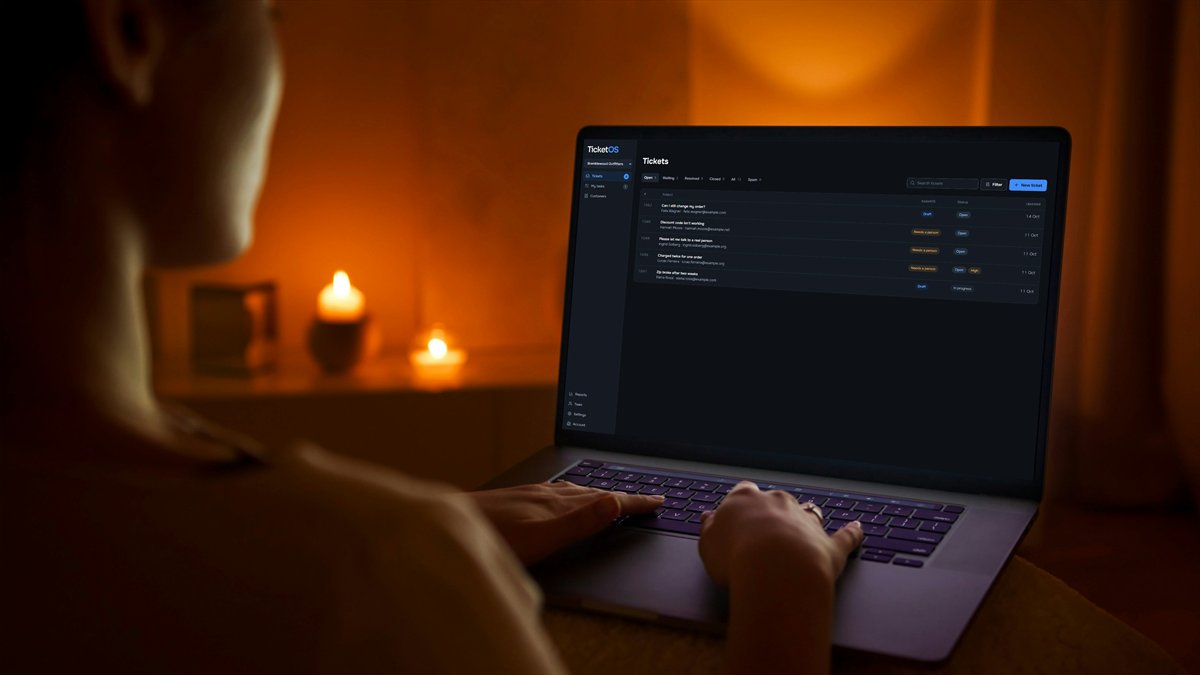
Receive emails. Log phone calls. Assign the ticket. Reply. TicketOS shows who owns what, so your team spends less time managing the queue and more time helping customers.
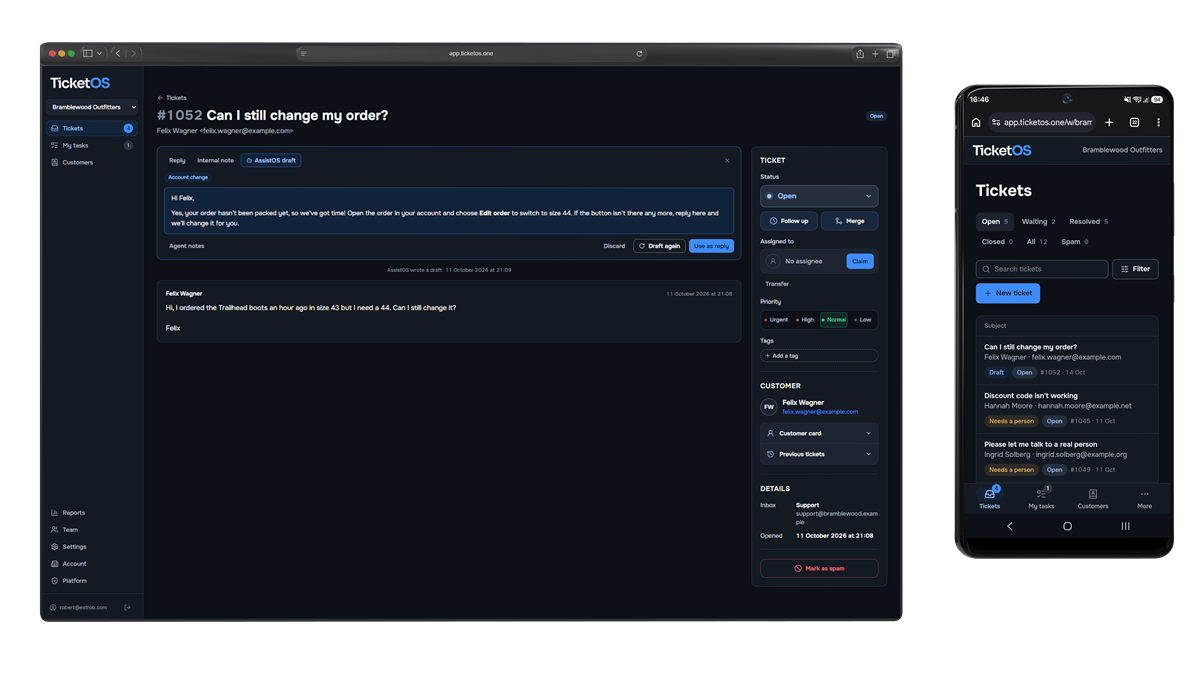
TicketOS showing open customer tickets in a demo account

HOW IT WORKS

Three steps from chaos to complete control.

  1. 01

    Everything collected automatically

    Customers use the email they already have. TicketOS turns every message into a tidy ticket.

  2. 02

    Clear ownership

    No guessing if a colleague replied. Every ticket has one assigned owner until it is done.

  3. 03

    Fast, accurate replies

    Stop asking "what did we promise last time?" The full thread history is right in front of you.

See plans and pricing

ASSISTOS • AUTOMATION ON YOUR TERMS

From first draft to autopilot.
At your pace.

Give AssistOS your rules, routines and real examples. It starts by drafting replies for your team to review. When you trust its work, you choose which requests it can answer on its own.
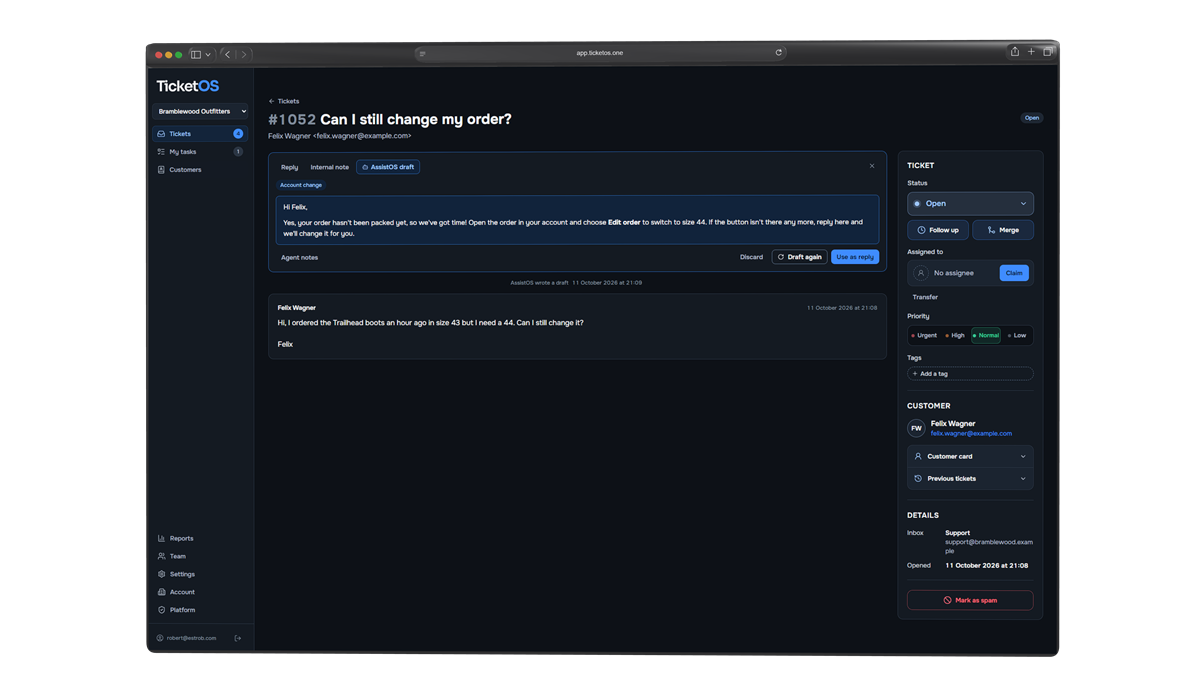
AssistOS has written a reply in a customer ticket
  1. 01

    Teach it your way

    Show it how you reply, what it needs to know and when a person should take over.

  2. 02

    Test the replies

    AssistOS drafts. Your team edits and approves until the answers feel right.

  3. 03

    Turn on autopilot

    Let it answer the types of requests you choose. You set the boundaries.

AssistOS is an optional TicketOS add-on.

Powered by Claude from Anthropic. You set the rules and decide when AssistOS can reply on its own.

THE NUMBERS, PLAIN AND SIMPLE

See the real price tag of your inbox.

One reply takes a few minutes. Hundreds take working days. Enter your numbers and see how much time AssistOS could give back to your team.

Assumption: AssistOS creates one draft per message, and a person reviews every draft before it is sent.

Time your team could get back each month30 timer

Time for customers and tasks that genuinely need a person.

Free for 14 days
Labour cost today17 000 NOK
Review time + software4 889 NOK
TicketOS + AssistOS639 NOK
AI package500 svar
See the calculation

This estimate shows the value of working time returned, based on the numbers you enter. It is not a guarantee of cash savings. Value is realised when the time supports other work, faster responses, less overtime or a reduced need for additional hiring.

STRAIGHTFORWARD PRICING

The same TicketOS.
Just more room.

Every TicketOS plan comes with the same tools. Choose how many people and inboxes you need, not which features you're allowed to use.

Billing
 

Starter

€10/ month
  • 1 user
  • 1 inbox

The same tools in every plan


Plus

€49/ month
  • 10 users
  • 5 inboxes

The same tools in every plan


Pro

€89/ month
  • 25 users
  • 10 inboxes

The same tools in every plan

OPTIONAL ADD-ON

Add AssistOS when you are ready.

Review smart drafts in seconds, or let AssistOS resolve routine tickets on autopilot.

AssistOS 100€49per month100 replies per month€0.49 per reply
AssistOS 250€99per month250 replies per month€0.40 per reply
AssistOS 500€159per month500 replies per month€0.32 per reply
AssistOS 1000€279per month1,000 replies per month€0.28 per reply

AssistOS is billed monthly, even when TicketOS is paid annually. Your TicketOS plan is additional.

All prices exclude VAT.

EVERY TOOL INCLUDED

The same engine, on every plan.

Workflows, response targets and smart templates should not sit behind a pricier plan. With TicketOS, the tools are there from day one.

CUSTOMER EMAIL, UNDER CONTROL

Get started. Find your flow.

Try TicketOS with your team for 14 days. Start with the inbox you already use.

TICKETOS, THE FULL TOOLKIT

Everything you get.

The same features come with every TicketOS plan. AssistOS and the Qernel connection are optional add-ons.

Shared Inbox & Queues
  • Keep the email address customers know

    They write as usual. Every email becomes a ticket your team can follow through.

  • Start with a real test ticket

    The setup guides you from a connected address to a first message before inviting the rest of the team.

  • More inboxes, one place to work

    Separate support, billing and other addresses without switching between email apps.

  • Turn calls into tickets

    Log a phone conversation so it gets the same follow-up as an email.

  • See what needs attention

    Track open, in-progress, waiting and resolved tickets. Add priority and ticket type as the queue grows.

  • Find the right ticket fast

    Search conversations and notes. Filter by inbox, group, owner and deadline.

  • Let customers know you got it

    Send an automatic acknowledgement from the right inbox with your wording and a ticket number.

  • Keep spam out of the queue

    Move unwanted messages out of the worklist and restore anything marked by mistake.

Team & Collaboration
  • One ticket, clear ownership

    Claim it, hand it to a colleague or put it in a group queue. Everyone sees who is on it.

  • See who is already there

    Know when a colleague is viewing or typing in the same ticket before work gets duplicated.

  • The whole story stays together

    See the conversation, earlier contact with the customer and internal changes in one place.

  • Bring related tickets together

    Join duplicate requests into one conversation instead of working the same question twice.

  • Reply from the ticket

    Write the answer, attach files, use your signature and choose the next status.

  • Talk to your team, not the customer

    Leave internal notes on the ticket. The next teammate has the context without another email chain.

  • Reuse replies that work

    Find a reply template, insert it and make it your own before sending.

  • Remember what is waiting

    Set a reminder when you need to follow up with a customer or supplier later.

  • Give people the right access

    Manage roles and groups. Let one user work across separate workspaces.

  • Make every reply look like yours

    Use your logo, colours and language in emails sent from TicketOS.

Automation & Reporting
  • Let rules make the first move

    Assign, route and prioritise tickets automatically when they match your rules.

  • Set a response target per inbox

    Choose deadlines that fit your team and get alerted when a ticket needs attention.

  • Useful notifications, not noise

    Choose alerts for new tickets, assignments, customer replies and missed deadlines.

  • See how support is going

    Track ticket volume, reply times and deadlines. Ask customers whether the answer helped.

  • Know if your reply arrived

    See delivery status on outgoing replies, so the team can act when sending fails.

AssistOS & Qernel (Add-ons)
  • Teach AssistOS your way

    Give the agent your business knowledge, rules, tone and examples of good replies.

  • Start with drafts

    Get suggested replies your team can review, edit, send or discard.

  • Put boundaries around autopilot

    Choose which ticket types the agent may answer on its own and when a person takes over.

  • See what the agent actually did

    Separate replies sent on autopilot, approved drafts and tickets handed to the team.

  • Bring Qernel context into the ticket

    With Qernel connected, see relevant customer, order and delivery details while you reply.

CONTACT TICKETOS

How can we help?

Send the details here. Your request becomes a ticket in TicketOS.

Do not include passwords, API keys or payment card details.